
Warning Signs Your Computer Is About to Crash
By The Computer Solution · February 19, 2021
TL;DR
- Strange clicking or grinding noises signal failing hardware.
- Frequent blue screen crashes indicate serious system problems.
- Data backup is critical before computers crash.
- Early warning signs need immediate attention.
- Constant fan noise suggests dangerous overheating.
- Professional diagnostics prevent complete system failure.
- Sudden computer slowdown often means failing components.
- Computer repair is needed when startup becomes unreliable.
Just like a car making strange noises before a breakdown, your computer often gives warning signs before a major crash. Understanding these signals can mean the difference between a simple fix and complete data loss. While computers may seem mysterious, these warning signs are usually quite clear, if you know what to look for.
5 warning signs your computer is about to crash
1. Unusual noises: the sound of trouble
A noisy computer is an unhappy computer. When your computer starts making new or unusual sounds, it’s rarely good news. Clicking, grinding, or whirring noises often indicate hardware problems, particularly with your hard drive or cooling fans. A failing hard drive might make clicking or scratching sounds, while fans can produce grinding noises when they’re failing. These sounds usually mean components are on their last legs and need immediate attention.
While some computer noises are normal, any sudden change in your system’s sound profile should be taken seriously. The cost of ignoring these warnings could be catastrophic data loss or complete system failure.
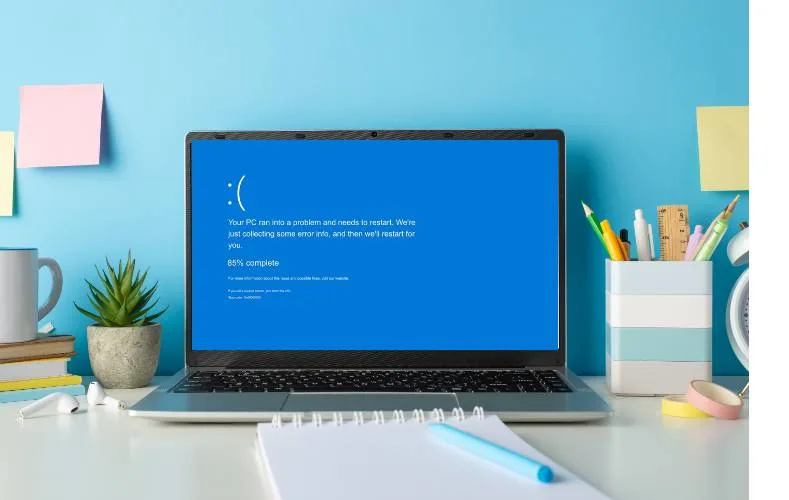
2. Blue Screen of Death (BSOD)
While a single blue screen error might be a fluke, recurring BSODs are serious red flags. These crashes often indicate hardware failures, driver conflicts, or serious software corruption. If you’re seeing these errors more frequently, your system is telling you something’s seriously wrong. The specific error codes displayed during these crashes can provide valuable clues about what’s failing. Don’t ignore these. They’re like diagnostic codes from your computer’s doctor.
“Early diagnostics and intervention can save your data… and your wallet.”
3. Slow performance and freezing
When your computer begins to slow down dramatically or freeze regularly, it’s often more than just too many browser tabs open. These symptoms can indicate failing hardware, particularly your hard drive or RAM. Programs taking forever to open, frequent freezes, or the system becoming unresponsive are all serious warning signs that shouldn’t be ignored. Sometimes the fix is as simple as a performance optimization, but only a diagnostic can tell you for sure.
4. Startup problems
If your computer struggles to start up, takes unusually long to boot, or requires multiple attempts to start, these are major warning signs. Whether it’s failing to recognize the hard drive, showing disk errors, or getting stuck on the loading screen, startup issues often precede complete system failure. A timely boot repair can often catch the problem before it’s too late.
5. Overheating
Equally concerning is overheating. If your computer frequently shuts down unexpectedly or feels unusually hot, it’s crying out for help. Overheating can damage multiple components and lead to permanent hardware failure if not addressed quickly. Listen for fans running at full speed constantly. This is your computer desperately trying to cool itself down.
Don’t wait until it’s too late
If you’re experiencing any of these warning signs, contact The Computer Solution today. Our experienced technicians can diagnose and fix these issues before they lead to catastrophic failure. Remember: early intervention can save your data and your wallet. Don’t ignore these warning signs. They’re your computer’s way of asking for help.
Pro tip: Make sure you have a backup solution running all the time to ensure that you will never lose your data, even if you lose your computer. And if the worst has already happened, data recovery may still be able to get your files back.
Got a computer problem in Durango?
Free assessment, honest answers, you only pay when it’s solved.